Showing posts with label Tech Diary. Show all posts

On left: Sahara with blue hijab with instagram filter with suns and snowflakes, on right with a silver crown


The short answer: tears of joy and frustration.


The long answer: this blog post.


So, I decided to make myself a challenge every month for a tech side project. I'd fill up words, quotes, movie/film titles in a jar, mix them up and select one every month and base a tech side project on it. I thought of this idea a little bit after January started, so I decided to self-select the word Flame to get me started. For flame, the first thing that came to mind was We Hunt the Flame by Hafsah Faizal. And then I thought of Blender, 3D modeling software that I have a love hate relationship with, and Instagram filters. So, let's talk about my thought process on how I made it to the finish line that is 2 Instagram filters to possibly help you get to the end of yours.


STEP 1: Once you have a gist of an idea, it's time for you to create a Pinterest Moodboard.


Who would we all be without Pinterest to give as all the vibes we're looking for. It's a gift of an app. So I didn't have a concrete idea of what type of Instagram filter I wanted to create - I only knew I wanted to create one with the 3D modeling Software Blender (hey! it's free!) and one that was a ~regular one~.


I'd scroll, pin something, and then just keep scrolling without actually pinning anything really, just to absorb the ~vibe~ of the book We Hunt the Flame through visuals. If you're curious, here is what my board looked like: WHTF vision board for Instagram Filter. Not much, but enough for me to wrap a world together in my mind.


STEP 2: Grab a sketchbook and jot down some ideas and sketches.


Once I visually had the world in my mind, I grabbed my bullet journal (ya girl fell off the official bullet journal train but that's a story for another day) - and I started jotting down some notes. I knew for the main characters - Zafira and Nasir - they were both skilled with archery. So I knew I wanted something with archery in there.


Sketches of Instagram filters - an arrow, a crown


I started to sketch my version of an arrow and then thought of Nasir - the crown prince. And that's where I got my idea of a crown for Nasir. I then took a quick search to Pinterest for crowns, in which I got tiaras. Which was, although I then took a year detour looking at all the tiaras, not what I was looking for. In my first sketches, I had the idea of there being a half circle base at the bottom and two arrows crossed then a half circle layered on top. Later I realized this was a nope idea but that was my initial sketch. If there's one thing I will say: DO NOT GET ATTACHED TO YOUR DRAWINGS.


For the second Instagram Filter idea, I knew I wanted to do a set drawing one, not a 3D object one - where it would be positioned on the face where I positioned it in my art file I created. And this is where I thought of Zafira and Nasir as a unit. For Zafira, there was a line in the book describing a belt with Snowflakes for Hunters in Demenhur. So I decided to make a snowflake out of arrows. Three snowflakes on one side, and three suns to represent Nasir from Sultan's Keep and Sarasin to go under eyes.


STEP 3: [For the crown] this is where you'd open up a 3D Modeling Software, in my case this was Blender.


Blender thankfully is free and there are great tutorials on YouTube. There is one specific one that helped me with the basics from Blender Guru. I didn't finish the tutorial in its entirety, just did a few videos to understand the environment and how I would go about making my crown. To make my crown, that actually took a lot of looking at Blender documentation, and also looking up specific things on YouTube to help me along.


Sahara with silver crown, holding We Hunt the Flame book by Hafsah Faizal

If you'd like a collection of videos I used on my crown making journey, here is a playlist: Blender Crown Help


With 3D modeling for Instagram filters I'd say my advice would be: don't create something so so detailed. That detail might look all perfect in 3D modeling software but when actually seeing it in place in an Instagram filter, it might not look right. When you create one component of the thing you're making, bring it to your Spark AR Environment to test out how it looks and then you can adjust your design if needed.


It's a lot of trial and error, but that satisfaction when it's complete! UNMATCHED


Step 3: [for the sun and snowflakes] Take a photo of your sketch, and open it up either in Photoshop or a free version of photoshop that I use called Sketchbook.


In Sketchbook, insert the photo you took in one layer. Create another layer, and this is where your work will be. You will be tracing your sketches in this new layer with respective colors for it. In my case I had a snowflake and sun, so I used selected a blue pen and started to trace the snowflake from the photo I inserted in.


Sahara showing close up of snowflake and sun filter
gotta love that lighting was not with me when I took these photos. I tried doing the filter justice, the snowflake details!

After tracing over one sun and one snowflake, I saved each of them as an individual photo and opened a new artboard. The trick on how to get them directly positioned under the eye was tricky - it required a lot of trial and error in finding the exact spot to place my sun/snowflakes in my art file to be directly under the eye. For that reason - if you yourself are looking to create a filter that goes under the eye, here is the exact image I placed in below. So, all you have to do is place this image as a layer below your work so you can place it at just the right part.


Step 4: Insert in Spark AR


For 3D objects in Blender: You must export and save as a .obj file. I used this video to learn how to import my 3D object as a .obj file in Spark AR: Import 3D Models (Blender Donut, Animation) Filter effect | Instagram & Facebook | Spark AR Tutorial


For regular art file in Sketch: Save as PNG, I saved mine with a transparent background.


Spark AR is an augmented reality platform for Mac and Windows users to create mobile filter effects. All I needed to do was login with my Facebook and then I was good to go. Oh, and yes, this is also free to download!


Spark AR Templates


When opening Spark AR select one of the templates that is similar to where your thing will be positioned in the filter, and then Spark AR itself walks you through on where to place your asset. For my crown I chose Head Decoration and for my Suns + Snowflakes I chose Face Mask.


And there we have it! The thought process behind my Instagram filters, and how to go about creating your own. At the moment my Instagram filters are living their best life on my computer, but I am hoping to submit them soon!


Sahara, holding peace sign, smiling at camera with the sun and snowflake filter


Have you ever thought of creating an Instagram filter? Let's get chatting!


Sahara walking, black bag in right hand, pink scarf, pointing with left hand to the left


If there's one thing I for sure haven't been doing, it's setting month work-related-improving-skill-set-goals. I'm not really sure how I fell of that wagon of doing that - I used to always create side projects to level up on my skillset to make myself marketable for jobs while I was searching. Well, I guess that's the answer to the how I feel off the wagon question. 


I would have to say my tech goals related to improving my skills are in two categories - the things I should be improving on related to what I do in my day to day and the things that I want to explore for the first time within my field. There is a feeling of wonder with the latter option - from Augmented Reality to Machine Learning, there's a lot I want to dip my toes into, it's like the tech field is an ocean and I am only currently just brushing against it from the shore.


When it comes to what I work in day to day - I know I have some things I need to get better at, in all honesty when I think about how many things I need to do I honestly feel imposter syndrome beckoning me like a grim reaper - it's not that I'm without a brain, even though it does sometimes feel that way, it's that there's a lot that I know I have to level up in.


The first step of leveling up though is acknowledging the level I am at now.


This is the hard part. I know a lot, but I sometimes feel I don't know anything at all. I have a Computer Science Degree, and two certifications to my name and still feel like I am without any of them. I don't know everything, and that's okay - I'm not Google. It's the embracing where I am that I have some difficulty with because I don't like that feeling of 'you're at X spot when you should realistically be at Y'. At the end of the day though, the sooner I embrace where I am, the sooner I can take that next stepping stone of getting to where I want to be.


So, this is where this blog post comes in. I wanted to set list of things I wanted to accomplish this November wise - yes it is the middle of November, the 15th to be exact, but that doesn't mean it's too late to make a goal list.


I know a lot, but there's so much I am in the dark of in my field - it's time to bring the light.


Work Related Skillset Improvement List


1. Get to middle of Bootstrap Course


Bootstrap is an Open Source Cascading Style Sheet framework that is focused in responsive Front End Web Development. I know what Bootstrap is, and I've done the section on Bootstrap on FreeCodeCamp, but there's still a lot that I don't know so this is where the course comes in. The issue I have with courses is more-so stemming from the way I learn. I don't want to get stuck in tutorial land, which sometimes feels like the vibe from courses. I was doing a React Course and that's exactly how it felt. 


My learning style is Kinesthetic (learn by doing) and Visual (learn by seeing). So a tutorial is great for me to visually learn, but things won't lock into place in my mind unless I do something on my own with it without the guidance of a tutorial.


2. Complete 1 side project


I want to create side projects related to the course to solidify what I'm learning but also, not related to the course because that's not fun. I want to learn in public, and share projects I'm working on every week with you all like I did in the past - from my Cryptography Project to my Augmented Realty Snowman. I haven't been doing a lot of side projects, but I want to. I miss it. 


3. Finish a few chapters from Eloquent JavaScript


I've seen this book in passing and feel I can learn a lot from it - I do know JavaScript, and have a certification in Data Structures and Algorithms - but that doesn't mean I know everything. There's some gap in my knowledge, and I aim to make this missing puzzle piece.


Fun things I want to do just because I can List


1. Make something in Unity


Unity is something I have downloaded on my computer but haven't nudged myself along to actually take a deep dive in just yet - and I want to change that. If you aren't subscribed to Jennifer Opal's newsletter and are in tech yourself, you should really consider subscribing! I was inspired by her watch project she created in Unity to give it a try, finally.


I just want to make something in it, and I welcome that learning curve.


2. Finish the Blendr tutorial on a Donut


Blendr is a 3D modeling software - this comes into play for Augmented Reality whether that be for games or for Instagram Filters.  The tutorial that I'm doing is from Blendr Guru - making a realistic donut. So this is more of a two prong thing: Once I finish the tutorial, then I will know enough to create my own 3D modeling object for an Instagram filter I've been sketching out.


I've never really made a list relating to my tech journey on things to tick off a list and I actually wouldn't have unless a friend mentioned it to me over on Twitter as a way to keep leveling up my skills. I think the importance of having a list of things to check off is to make sure that you're always increasing your knowledge and aren't just ~floating~ where you are. I'm hoping it helps with setting concrete things for me to accomplish. Yes, it's mid-novemeber, but that doesn't mean I can't get started on ticking these off my list. To be fair, nothing is as satisfying as crossing something off a list.


Anyone else set goals for November? Let's get chatting!


ps. I did take completely different photos for this but didn't like any of them, gotta love that natural lighting is now in very small windows of time with Daylight Savings!


sahara end logo

sitting on rocks, with NYC view behind, puffy sleeves
dreams as puffy and fluffy as my sleeves

I've actually tried writing this post 3 times. This is the third time, so I'm really hoping third time's the charm. I've been gone from blogging since January so I guess you can say I'm a little rusty. It's been a pretty zigged-zagged rollercoaster on my end. At the very end of January, I was offered a freelance role at a company that later on in July took me on Full Time. It was a long sought full time role for 2 years -  the constant jumping over hurdles and just wanting a hiring manger to believe in me as much as I did in myself and finally catching the wave that was meant for me to ride.


You know in track when hurdler's hit the hurdle instead of jumping over it? Yeah, that is the best way I can describe the two years of searching for a full time role. But the thing is the more you keep trying to jump and keep hitting that hurdle, one day you're going to jump that hurdle, and then the next one that follows, even if while you're hitting that hurdle you're thinking the exact opposite.


About a month into freelancing for the company, Covid-19 entered the chat.


I went remote after about a month into freelancing, and as much as I used to think I was all about that ~office life~ I genuinely don't think I want to go back to the office - the amount of time saved from no commute, not having to wake up extra early to catch the morning bus. I now use that time for my morning runs. Of course, there's the one small tiny thing of not chatting to people, I wouldn't say I'm a complete social butterfly but I do like chatting to people throughout the day. So 50% social butterfly? And the other small thing is not knowing when to turn off from work and actually separate my work self from like my actual life.


And this is where the burning question from your end is: Why did you stop blogging?


I didn't do that intentionally - if there was one thing I was adamant about it was that I didn't want to chip away parts of me until the only thing that had roots in the ground was my profession. But, I guess as I am typing this in September 2020  - a full 8 months since my last post - that is what happened. 


I knew I had to get used to the work environment  - up until this point most of my freelance clients were either 1-3 months or several weeks with no indication of possible full time role. This was the first one where it was freelance and possibility to hire. So I had a lot to learn and catch up on to make sure that I did everything I could from my end to cement that full time role into my future. 


Blogging took a backseat mainly because I wanted to be sure that I was 100% focused - I didn't want to lose an opportunity I sought for so long because I didn't give it my all. So that's what I did - I gave it my all and even stopped running and exercising for a solid couple of months to focus (hi this was singlehandedly the worst decision I could ever make in my entire life) and in July the full time offer came like a Christmas wrapped gift with a sparkly bow in my email inbox.


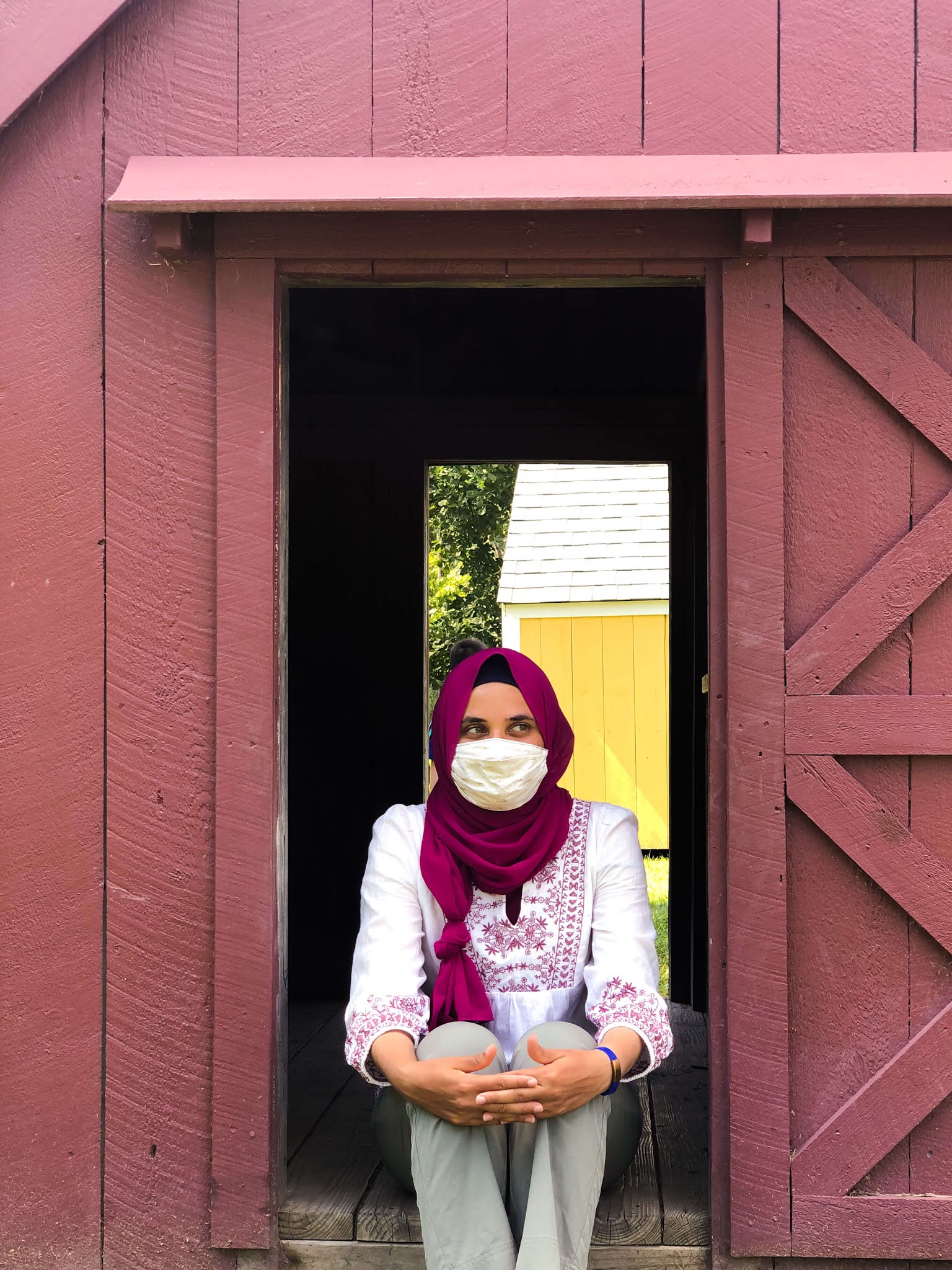
sitting in small barn entrance
you can't tell but I'm smiling under my mask


It's September now.


And it's been a hectic couple of months. I ended August pretty much up to the brim with work and deadlines met, and in all honesty I missed me. I missed actual me.


The lifestyle, fitness, and history crash course blogger, the crocheter who gets too excited about projects and ends up having 253498 unfinished projects and wants to start a new one anyway, the avid reader who lives through numerous adventures on a page monthly, the duolingo novice trying to learn Danish when in reality I should be attempting to learn to speak Arabic more fluently or maybe dabble into Spanish, the piano player who's trying to reteach herself the notes, and most importantly - the athlete who loved to move.


I started running after taking 2 months off so although when written ~short time off~ it felt like a millennium.  For reference, I've been training 6 days a week for the 2 years of my funemployment. Currently - I've been running consistently back and forth in front of my house to minimize bumping into anyone while running, so that's my new normal in my running life. I did actually take a week and a half off in August due to not getting a lot of sleep and having a bit of discomfort in my shoulder, but I'm back up and running. Literally.


But still I feel in terms of movement I could be doing more.


I sit down all day and stare at a laptop + monitor for more than 8 hours per day (you honestly don't want to know how many hours a day I spend on my laptop) and worry about eyesight. A week ago, I was sitting in my kitchen after a long working day and my eyes were just in one phrase: tired of focusing. The time on a my stove was blurry to me - it was 5 feet away from me. 


That's also one reason why I stopped blogging - I couldn't stand a computer screen in my ~free time~ because I was spending so many hours staring at a screen for work, my eyes couldn't handle screen on both my work time and free time.


sitting in small barn entrance
that moment when you don't know if a random small child will interrupt your photo shoot


Getting back to the sitting down all day - In the beginning of remote work everything hurt.


My hips hurt. My thighs hurt. All from sitting for so long without getting up. That continued for at least 2 months, and then my body adapted to my sedentary lifestyle of sitting in one spot for 10 hours. And this worries me. My body adapted to no movement although I am well and able to move throughout the day - in office life there's the walk for lunch or coffee/tea, but at home there is none of that walking. I sometimes don't even take a break for lunch because I prefer to just keep working instead taking a break to recharge my energy. 


When someone says 'tell me about yourself' I do not want the only thing to leave my lips to be my profession.


I've been here before though. The not blogging and slicing my hobbies away part. If you've been here long enough, you'll remember my internship 2 years ago where I tossed everything about myself away and made my work my life. I swore I'd never do that to myself. And I want to keep that promise to myself even if it is late. 8 months too late. 


There's something a coach says on the Nike app during a speed run I do - when doing a mountain workout where I would be doing mile pace, 5K pace, 10K pace, and then make my way back down the mountain with 5k, mile pace: 


You've been here before, you've just got a little more running in your legs.


And that's true. I have been here before. But now, rather than me turning to an advisor to see what I should do I (and also my family pitching in) am making the decision to not allow my work to continue to consume me like it has been. My runs don't run themselves in the same way my blog posts don't write themselves. 


I don't know if it's a ~junior~ thing but the feeling like I need to be working all hours of the day in order to prove that I am worthy of a position that I already have is a mindset I have to break. Is it a junior thing to constantly feel like I have something to prove? I love to learn new things, whether that be a new coding environment, or improving on a coding language I already know.  I love that feeling of learning. But I also don't have to be learning/working all hours of the day as much as one half of my brain likes to try to convince me otherwise. That's the quickest way to burnout and I very much want to veer as far away from the path of burnout. 


I do have a lot to learn but that does not discount what I already know. Even if at times I feel it does. I have courses that I want to do and technologies I want to improve on, but that doesn't mean I spend night and day burying myself in knowledge because I've managed to convince myself that every waking moment must be spent working towards something, and anything not meant to further me in my profession must go.


standing in front of small barn entrance


What I am hoping to ingrain in myself in the next few months is that I don't always have to be attached to my computer whether that be for work or for courses/tutorials to be better at what I do at work.


There will always be more to learn, months from now I'll be telling myself the same thing even if I learned XYZ new technologies, there will always be that feeling of I could do more. I just don't want my life to be consumed of I could be doing more rather than appreciating where I am now. 


I guess, the end of my ramble of a post is to say: Your life is yours, not your employer's. Own it.


How has quarantine been for everyone? Going on runs/exercise or learn a new hobby? Working from home? Let's get chatting!


sahara end logo
sahara holding purple colored laptop with stickers 'women who code', 'brunch.code.repeat', 'built by girls', and 'educate a girl change the world'

About a month ago, I decided to give TopResume a try. I kept getting emails from them after uploading my resume to Glassdoor when I applied to a role on there months ago. For reference, this was prior to my ZipRecruiter Misuse post where I dissected terms and agreements of all popular job board sites. They have some sort of deal with Glassdoor when someone uploads their resume to apply for a role, you can opt to have your resume looked at by them for free. After you let them look at your resume for free, they keep emailing you. Constantly.

At this point, I did get call backs but they never went anywhere, so I gave TopResume a try.


You'd think my soul left my body when the $149 went out of my bank account. I was just scared - was it going to be worth it? Based on their reviews, they were top tier a blessing for job seekers. But then again, websites that offer a service to job seekers usually make it sound like they are the light at the end of the tunnel. My neighbor talked highly of them - I'm not sure she ever used them, but it just felt like I was going nowhere with what I had so I had no other option but to have a professional resume writer to take a look.

So, what package did I get?


The cheapest one - I paid for the Professional Growth and Resume Writing Package for $149. Except, here's some quality tea: Remember how I said they kept emailing me after that ~free~ viewing of my resume? Yep, so here's the funny part. They sent an email saying with a specific link sent to my email there was a sale on the package with $179 crossed out and $149 as the new price. So, I purchased it and then 3 hours later as my parents were asking about the price, I was going to show my parents the price crossed out and the price I paid only now that I clicked the link the discounted price was $139. The very same link I clicked on 3 hours earlier had a $10 cheaper price after I used it to purchase.

I emailed their customer support about the issue, they were no help on there.


I even sent a video recording of me clicking the link from my email  - the regular price now on the website was $149 rather than $179,  and the discounted price when I clicked my link was $139. Their customer support via email kept saying essentially too bad, not our problem. So I called the next day, explained to the person on the phone what happened, she saw the email thread as well, and agreed that I have to be refunded because the discount came after I purchased via the link a few hours earlier. The opposite of how a discount link should work.

What did the service offer?


A professional resume writer in your field to look at your current resume and basically give it a makeover content wise. You go back and forth with the resume writer for 7 days only - in those 7 days the back and forth edits only stop once you say you are satisfied with the resume.

How was the service, honestly?


In all honesty, I wouldn't recommend them unless you yourself are an english native and personally know a wrong sentence structure when you see one. Also, if you read a lot that's also a plus because sometimes the resume writer used words wrong.

I don't think that it's a professional resume writer in your field, that bit - from my experience - couldn't have been further from the truth.

My first revision - I sent in my one page resume - came back to me in the form of 2 pages with the following:

  • Chunks of keywords thrown in with no sentence structure
  • Incomplete sentences that didn't read well
  • A massive paragraph (if we even want to call it that - it was just a lot of keywords thrown in with no periods) at the start of my resume
  • My name and title in my profession were centered awkwardly in a way that didn't visibly make sense
  • My technical abilities (the coding languages and frameworks I know) was all the way at the bottom
  • She eliminated my Personal Interests section which lists my blog and the fact that I am a USATF Track Athlete; 5000M.

Overall the format didn't make sense, and it was just too much on the eyes - there was no whitespace! I get why she wanted to put as many keywords as possible so that companies that use artificial intelligence to screen through resumes won't put me in the No Pile but just chucking in keywords isn't the answer.

You can kind of think of it when using keywords in your blog post: Google will notice what you're doing if you keep using your keywords to get a better ranking on google, so you have to use them smartly throughout your post.

That's the mindset that you should have with your resume:  You can flurry in all the keywords you want but make it make sense. Don't start getting generous and sprinkle your keywords all over your resume like you're Rupert Grint* handing out free ice cream. If Google's algorithm is smart enough to know what you're doing when you keep using keywords to get a higher ranking on Google, don't you think the algorithm the company uses to screen through the resume is too?


_____

* Actor who plays Ron Weasley in the Harry Potter Series. 

_____

I will be getting back to the importance on the Personal Interests section in a future post, but I will say this: Keep This On Your Resume! Don't listen to anyone who tells you otherwise. I have some stories that I'm going to get into in a future post of 'mentors' degrading my interests and equating listing my blog and being a USATF Track Athlete on my resume to writing 'I like Ketchup'.

I let the resume writer know I was dissatisfied with this edition and essentially wrote a whole 6 paragraph essay picking apart what was wrong with it. I guess you can say I became an english teacher for these 7 days, I had to explain proper sentence structure format, provide alternative words due to words they used weren't used correctly, and also edit a lot of sentences entirely. I didn't want to be rude picking it apart, but I was also paying for this service. $139 to be exact.

It's a two way street between you and the TopResume Writer.


You give the resume writer feedback and they make the changes to get that much closer to the resume that you are going to be satisfied with. You can't say you don't like the revision and not explain what it is that you are dissatisfied with. There were some occasions where the way she edited a section - compared to my resume I sent in - it sounded too simplified technical-wise and I would redirect her to my resume I sent in and the technical language I used.

As we kept revising it, the amount of things I pointed out became less and less; we worked together bouncing back and forth via email on what changes to make. Each resume revision was sent in a Word Document, so you can easily edit it on Google Docs once they send it through!

Tip for Resume Writing: ADD COLOR. Do you know how boring it is to look at a document with no color at all, all resumes just start to look the same (if a person is looking through them not Artificial Intelligence). Change your name, and heading for each section to a neutral color. I chose a dark-ish blue - not sky blue but also not navy, kind of like jeans colored?

In terms of the sentence structure, did that ever get better?


Not really. I had to really dissect each sentence and line to make sure that the structure made sense and it wasn't just random words thrown together to make it look intelligent when in actuality it made no sense. I mentioned this earlier but I read a lot, and obviously as a blogger write a lot, so I was well aware of an incorrectly structured sentence when I saw one. If English is not your first language, or you are not fluent in it, RUN.

How would I rate the service?


⭐⭐☆☆☆ 

2 out of 5 Stars

In the end I did end up with a resume I was satisfied with but the process was a lot of me pointing out my industry's standard as if she wasn't a professional in my field as advertised on the TopResume website. I am rating the process, not the final product.

Everything is now written better than what I had previously, and as for call backs has it changed? Well, in some ways its the same, but in other ways it's not. I attended an interview last week and the person interviewing me said he took one look at my resume and knew he had to see me, so I will say that the changes made were most definitely needed for my resume.

According to their terms and conditions they say that if you don't get an increase in calls in two months or so then you can tell them that and they will go through the whole resume revision process again, free of charge.

This 2 out of 5 star rating is mainly because for the reasons I listed above:
  • The resume writer wasn't a professional in my field as advertised.
  • Sentence structure was poor until I had to continuously point it out and offer alternatives.
  • The format of the resume was all wrong in the beginning.
The only reason we ended up on a resume format that was satisfactory was because I did my own research on resumes in my field to get some inspiration and edited the resume writer's sentences to actually be complete sentences- it was clear I needed to pull more weight in this revision than I originally thought.

Okay so where should you go if your resume is in need of a glow up?


Luckily for you - and unluckily for me - I came across this tweet a few days ago detailing websites that offer free resume revisions - Free Resume Help List + some extra stuff tweet!

Have you recently fixed up your resume? Would you give TopResume a try?


mobile and desktop version of my portfolio. An image of me with rock background - tag line: Hi I'm Sahara. I write code and run a lot. Below it, are my social media links via social media icons that are clickable.

Similar to my How Do I Get My Create-React-App Portfolio on Github Working, the documentation on how to edit it on the Github Platform and on my local machine and get the changes/edits to show up on the live version didn't exist. Brian Mock (@wavebeem on twitter) took the time to work with me to figure out how to get my edits to show up.

It took a lot of time to figure out the right commands - it was a joint effort trying to figure them out as we both read through git documentation and create-react-app documentation to try and piece together this puzzle and I wanted to write it out because I don't want anyone to struggle like I did and contemplate chucking their laptop out a window.

There are two sections - jump to which one you need!

Making Your Changes/Edits on the Github Platform
Making Your Changes/Edits on Your Local Machine

_____


Making Your Changes/Edits on the Github Platform


*after making your edits*

Step 1: Open up your project folder that's on Github on your local machine in terminal


The path to my folder: documents -> Github -> saharafathelbab.github.io

The commands to get to my directory:

cd documents
cd Github
cd my-repository-folder-name-here.

Now you should be in your project folder

Step 2: Check you are in the right branch


Automatically, you should be on the branch that includes package-lock.json, package.json, public folder, README.md, src folder.

How do you check what branch you are in?

On mac - click your finder icon on your dock, and go through the path to get to your project folder. As I mentioned above, the path to my project folder is: documents -> Github -> saharafathelbab.github.io.

In your project folder, if you do not see package-lock.json, package.json, public folder, README.md, src folder then you are on the wrong branch. [You may see asset-manifest.json, favicon.ico, index.html, logo192.png, logo512, manifest.json, robots.txt, static folder instead)

How to change the branch you're on:

In terminal the command you type is:

git checkout latest*

*latest: the name of my branch that includes package-lock.json, package.json, public folder, README.md, src folder. To learn more of why that is: How Do I Get My Create-React-App Portfolio on Github Working

After you run that command, click back to your folder you got to via finder - it should now show package-lock.json, package.json, public folder, README.md, src folder signifying that is the branch you are currently on.

Step 3: We need to pull our edits we made on GitHub to our local machine


In terminal the command is:

git pull

After you run this command, you will see a mini summary of what file you edited.

You may see an Untracked file warning with .DS_Store however that's okay! It is there! Git is playing games (on a real note - check your .gitignore file and you should see .DS_Store under #misc in the event Git is in fact not playing games).

Step 4:  We need to install gh-pages packages.


We only need to do this once - this installs the gh-pages packages.

In terminal, the command is:

npm install -D gh-pages

Step 5: We need to run npm install


In terminal, the command is:

npm install

You may remember doing this over on your local machine to view your project on localhost.

After this you may notice a few new additions in your folder via finder, what should be in there now: build folder, node_modules folder, package-lock.json, package.json, public folder, README.md, src folder.

Step 6: Run a command to check the status of the branch


As I mentioned above, your folder got some new additions! Now we have to commit all of that stuff to our actual GitHub folder online

In terminal the commands you type is:

git status
git add -A
git commit -m "some message"

git status
Shows you the status of your branch - if you've made any changes this is where git will show that you have some edits/file changes.

git add -A
Adds all new and updated files to the staging area

If I bring my analogy from my previous post - How Do I Get My Create-React-App Portfolio on Github Working-  to explain this:

You have a dozen packages you're delivering to this one house, and when you get to the house, you take the packages out of the truck and add all of them to the patio area i.e. the staging area

git commit -m "some message"
Commits the change with a short message on the change you made

Keeping up with the story above, you ring the door bell and someone answers the door. They need to sign their name on a device before you can hand them their packages they ordered.

the -m means message and in quotations is the message relating to what you're planning to push onto GitHub.

When you run the last command, you should see something along the lines appear in terminal:

1 file changed, 1 insertion (+), 1 deletion (-)

Now let's push our edits (i.e our additions via running npm install)  to our actual GitHub folder online

The terminal command is:

git push

Keeping up with the story above: The person signs their name and finally you can give them their packages to take in their home.

The "message" that you're typing shows up like this on Github:

The "message" that you're typing shows up in a column in github platform


Step 7: Run the commands to run build + send all changes from 'latest' branch into 'master'


As I mentioned before, the branch latest for me is the one that has build folder, node_modules folder, package-lock.json, package.json, public folder, README.md, src folder.

In terminal, the command you type is:

npm run build
npx gh-pages -- branch master -d build

AND TADA - you should be met with one single word in terminal: Published. You may need to go into chrome incognitio to see your changes immediately - takes a bit to show up on just regular!

Also, when you run npm run build it may take a while!!! The same goes for npx gh-pages -- branch master -d build it'll take a good few seconds!

Let's talk about that second command if you're wondering where it came from:

npx gh-pages -- branch master -d build sends all your changes from 'latest' into 'master'.

Now let's break it down further:

npx gh-pages - If you remember earlier, we ran the npm install -D gh-pages to install gh-pages packages. So that's us using gh-pages package.

branch master - The branch we are sending all our changes to is master.

-d build - directory, build folder. Remember earlier when we ran npm install we had a new addition of a build folder.

A mini tangent if you're curious by the phrasing "send all changes from 'latest' branch into 'master'":

As Brian was mentioning to me when I asked about sending all changes from 'latest' branch into 'master' - you can imagine "master" branch as having everything from "latest" branch public folder but on this top tier special level. The way I kept thinking of it was that if the public folder in latest should also be included in the master branch that would mean that there will be duplicates of index.html and logos as well but that is not the case! It is in it's own special league!

After this first-time-editing on your Github Platform, the next time you make an edit on the GitHub Platform and would like for it to show up live you just need to go through the following commands after you've made your edits:

Step 1: Open up your project folder that's on Github on your local machine in terminal


The path to my folder: documents -> Github -> saharafathelbab.github.io

The commands to get to my directory:

cd documents
cd Github
cd my-repository-folder-name-here

Now you should be in your project folder

Step 2: Pull your edits you made on GitHub onto your local machine


git pull

Step 3: Run the commands to run build + send all changes from 'latest' branch into 'master'


npm run build
npx gh-pages -- branch master -d build

AND TADA - you should be met with one single word in terminal: Published.
____________________________________

Making Your Changes/Edits on Your Local Machine


Step 1: Open up your project folder that's on Github on your local machine in terminal


The path to my folder: documents -> Github -> saharafathelbab.github.io

The commands to get to my directory:

cd documents
cd Github
cd my-repository-folder-name-here

Now you should be in your project folder

Step 2: Check you are in the right branch


Automatically, you should be on the branch that includes package-lock.json, package.json, public folder, README.md, src folder.

How do you check what branch you are in?

On mac - click your finder icon on your dock, and go through the path to get to your project folder. As I mentioned above, the path to my project folder is: documents -> Github -> saharafathelbab.github.io.

In your project folder, if you do not see package-lock.json, package.json, public folder, README.md, src folder then you are on the wrong branch. [You may see asset-manifest.json, favicon.ico, index.html, logo192.png, logo512, manifest.json, robots.txt, static folder instead)

How to change the branch you're on:

In terminal the command you type is:

git checkout latest*

latest*: the name of my branch that includes package-lock.json, package.json, public folder, README.md, src folder. To learn more of why that is: How Do I Get My Create-React-App Portfolio on Github Working

After you run that command, click back to your folder you got to via finder - it should now show package-lock.json, package.json, public folder, README.md, src folder signifying that is the branch you are currently on.

Step 3: We need to install gh-pages packages.


We only need to do this once - this installs the gh-pages packages.

In terminal, the command is:

npm install -D gh-pages

Step 4: We need to run npm install


In terminal, the command is:

npm install

You may remember doing this over on your local machine to view your project on localhost.

After this you may notice a few new additions in your folder via finder, what should be in there now: build folder, node_modules folder, package-lock.json, package.json, public folder, README.md, src folder.

Step 5: Minimize your terminal window and Open your editor up (Atom, VSCode, whatever you coded in!) and open up your project folder that is currently in your Github folder


When you open your editor, click File -> Open and go through the path to get to your project folder. The path to my project folder is: documents -> Github -> my-project-folder

open my-project-folder in your editor and make your edits AND SAVE YOUR EDITS.

On mac:  CMD + S

If you are trying to locate your react components + Main.js file: click the src folder and you'll see a list of all your react components and your Main.js file.

Step 6: Bring back your terminal window your minimized and check the status of your branch to see if git saw a change has been made


Once I saved my changes, in terminal I first ran the command:

git status

I use this as a double-check: This command shows you the status of your branch. If you've made any changes this is where git will show that you have some edits/file changes. I wanted to see if git saw an edit has been made; it did! 🎉

Step 7: Add all new and updated files to the staging area


The terminal command is:

git add -A

If I bring my analogy from my previous post - How Do I Get My Create-React-App Portfolio on Github Working-  to explain this:

You have a dozen packages you're delivering to this one house, and when you get to the house, you take the packages out of the truck and add all of them to the patio area i.e. the staging area

Step 7: Commit the change with a short message on the change you made


The terminal command is:

git commit -m "some message"

Keeping up with the story above, you ring the door bell and someone answers the door. They need to sign their name on a device before you can hand them their packages they ordered.

the -m means message and in quotations is the message relating to what you're planning to push onto GitHub.

Step 8: Push all of our edits with the commit message onto Github


The terminal command is:

git push

Keeping up with the story above: The person signs their name and finally you can give them their packages to take in their home.

The "message" that you're typing shows up like this on Github:

The "message" that you're typing shows up in a column in github platform


Step 9: Run the commands to run build + send all changes from 'latest' branch into 'master'


In terminal, the command you type is:

npm run build
npx gh-pages -- branch master -d build

AND TADA - you should be met with one single word in terminal: Published. You may need to go into chrome incognitio to see your changes immediately - takes a bit to show up on just regular!

Also, when you run npm run build it may take a while!!! The same goes for npx gh-pages -- branch master -d build it'll take a good few seconds!

Let's talk about that second command if you're wondering where it came from:

npx gh-pages -- branch master -d build sends all your changes from 'latest' into 'master'.

npx gh-pages - If you remember earlier, we ran the npm install -D gh-pages to install gh-pages packages. So that's us using gh-pages package.

branch master - The branch we are sending all our changes to is master.

-d build - directory, build folder. Remember earlier when we ran npm install we had a new addition of a build folder.

A mini tangent if you're curious by the phrasing "send all changes from 'latest' branch into 'master'":

As Brian was mentioning to me when I asked about sending all changes from 'latest' branch into 'master' - you can imagine "master" branch as having everything from "latest" branch public folder but on this top tier special level. The way I kept thinking of it was that if the public folder in latest should also be included in the master branch that would mean that there will be duplicates of index.html and logos as well but that is not the case! It is in it's own special league!

After this first-time-editing on your local machine, the next time you make an edit on your local machine and would like for it to show up live you just need to go through the following commands after you've made your edits:

Step 1: Open up your project folder that's on Github on your local machine in terminal


The path to my folder: documents -> Github -> saharafathelbab.github.io

The commands to get to my directory:

cd documents
cd Github
cd my-repository-folder-name-here

Now you should be in your project folder.

Step 2: Check the status of your branch to see if git saw a change has been made


git status


Step 3: Add all new and updated files to the staging area


git add -A

Step 4: Commit the change with a short message on the change you made


git commit -m "some message"

Step 5: Push all of our edits with the commit message onto Github


git push

Step 6: Run the commands to run build + send all changes from 'latest' branch into 'master'


npm run build
npx gh-pages -- branch master -d build

AND TADA - you should be met with one single word in terminal: Published.

I hope this documentation was helpful to anyone who is out there googling how to make edits to your react.js portfolio - this is only my second documentation post so I hope I explained everything well!

sahara end logo
home page of my portfolio - written on it it says: Hi I'm sahara. I write code and run a lot. Sub heading is 'Front End Developer' and below are my social media links

After following this documentation Deploying a React App* to Github Pages specifically and then having to seek other documentation such as: 8 Steps to publishing your portfolio on GitHub, Create Your Developer Landing Page with GitHub Pages, Deploying  React Applications to Github Pages, How to Deploy React App to Github Pages, Publish Your Web Portfolio For Free with Github Pages - In 5 Minutes and about 20 other tabs of documentation that if I kept open for the duration of the 2 days it took to solve my issue my laptop would be functioning slower than a snail, my portfolio site would not work/show up on Github.

The main issue with all documentation is that, as someone who was a beginner to pushing my react-app onto Github, none of it was catered to me. It assumed I knew everything. And as this 48 hours of 40+ tabs showed me, I have a lot more to learn (which is great!) and that the documentation I needed didn't exist.

I asked on twitter for some help after trying to solve it on my own after spending a handful of hours reading endless documentation that had me looking like I was trying to invent a literal lightbulb. Brian Mock (@wavebeem over on twitter!) happened to come across my tweet asking for help and in the end we managed to get my portfolio up and running and I learned how to edit it on both GitHub Platform and locally. Quite literally, if he hadn't offered to help I would probably still be trying to figure out how to get it to work because the documentation I needed didn't exist.

So, in the event that anyone else finds themselves in the same scenario as I did, here's the documentation of how I got my react-app portfolio onto github and how we got my portfolio to actually appear on the link.

What are we trying to do: Get the portfolio on the landing page - so it looks like this saharafathelbab.github.io and be able to make changes when needed.

Step 1: Create Your Repository on Github


Your repository will be named the same as your exact url. When you create your repository, click Open in Desktop.

Step 2: Open Terminal


You will need to get to where your project is from here as in type in the path to get to your file.

cd = Change Directory

It allows you to get to the directory where your project currently is in - essentially typing the path to get to your project.

So if your create-react-app is in your home directory as was the case with me you would just type:

cd [your react app name here] <- just to note there is a space between cd and your react-app-name

If your react-app is in your documents:

cd documents
cd [your react app name here]

Once you type in your react app name, your command line should read:
[your react app name] your-username-for-your-computer-itself $

a snapshot of me using cd terminal to get to my create-react-project on my laptop
At this point I was following Deploying a React App* to Github Pages so as per their documentation, your next step will be to install gh-pages as a dev-dependency of your app:

The command is:

npm install gh-pages --save-dev

You will be writing this right where you are in your terminal so here's what mine looked like following up from the above screenshot of me getting to my folder:
how the above commands looked in my terminal

After you do this you may get a few warnings you may not - but you should not be getting any errors at all.

Step 3: Open your react-app in your code editor


Granted, I'm pretty sure you never closed it. You will be going to your package.json file, and be adding a few lines.

In the first { } section you will be adding
"homepage": "http://[your-github-name].github.io/your-repository"  above "name": "your-project-name" which is there.

so format: 
"homepage": "http://[your-github-name].github.io/your-repository",
"name": "your-project-name",

If this is your portfolio, and you named your repository the same as your exact url without any forward slashing it will look like this format:

"homepage": "http://[your-github-name].github.io",
"name": "your-project-name",

"homepage": "http://saharafathelbab.github.io" is right above "name": "myportfolio"
here's what mine looked like!
PLEASE REMEMBER AFTER TO PUT A COMMA AFTER YOU WRITE YOUR HOMEPAGE THING, I DIDN'T DO THIS AND WAS STUCK FOR AN HOUR NOT REALIZING I FORGOT TO ADD A COMMA AFTER

You will also need to go into "scripts" section of the package.json and add

"predeploy":"npm run build",
"deploy": "gh-pages -d build"

So it will look like this:

"predeploy":"npm run build",  "deploy": "gh-pages -d build"


Step 4: You will now create a git repository in your current project folder


The command is:

git init

When I ran that exact command, I was met with an error that looked like this:

xcrun: error: invalid active developer path (/Library/Developer/CommandLineTools), missing xcrun at: /Library/Developer/CommandLineTools/usr/bin/xcrun

I came across a StackOverFlow Post  with this same exact error. The next step you need to do is open a new window of terminal, do not X out the one you have up!! Just open a new window of terminal. On mac, you have to tap the terminal icon in your doc area with two fingers and you'll see something like this come up:

opening a new window in terminal!

Click New Window.

You will then run the command:

xcode-select --install

this line installs the x-code Command Line tools, you do not need X-Code itself, just the command Line tools to fix the error. After you type in the command, you will get pop up asking for your permission to install the Command Line tools and also see a prompt appear after that pop up in the terminal.


xcode-select --install followed by prompt requesting permission to install


Now, let's go back to our original terminal window with our react-project. Run this command again in terminal:

git init

You should be seeing something similar to this in your command line:

git init initialized empty git repository

Step 5: You will now add the Github repository (the one you created way back in step 1) as a remote in your local (your literal machine/laptop) git


This allows the gh-pages to know where the app will be pushed onto.

The command you would be typing is:

git remote add origin https://github.com/your-username/your-repository.git

For my scenario, I was adding it to my Github landing page saharafathelbab.github.io  and this is what my command looked like:

git remote add origin https://github.com/saharafathelbab/saharafathelbab.github.io.git

Step 6: The built app code gets to be deployed to your github


You will then run the command:

npm run deploy

You will be prompted to put your github username and password in terminal.

If you look at your Github repository you'll notice that a master branch doesn't exist but gh-pages does. The gh-pages is what we just deployed over.

Your Build-App code is similar to your 'public' folder contents in your create-react-app project.

But we actually need our Master branch, so the tutorial doesn't stop here.

Step 7: You will then commit your source code to the master branch and push it onto Github.


As I mentioned before your master branch doesn't even look like it exists on your Github. So we've got to bring it to life.

You will now run the following commands:

git add .
git commit -m " insert message here along the lines of what we're doing, in this instance we are creating a react app"
git push origin master

So let's break down what each of these commands do:
- git add .
 Yes that is a period at the end there. You need that, it's git add SPACE period. This selects all files in your current directory and puts them in the staging area. If it helps, think of it like this scenario:

You have a dozen packages you're delivering to this one house, and when you get to the house, you take the packages out of the truck and add all of them to the patio area i.e. the staging area

- git commit -m "creating my react app"
Keeping up with the story above, you ring the door bell and someone answers the door. They need to sign their name on a device before you can hand them their packages they ordered.

the -m means message and in quotations is the message relating to what you're planning to push onto GitHub.

-git push origin master
The person signs their name and finally you can give them their packages to take in their home.

Now that you have the message of what you're committing, you can push your source code to master branch.

The "message" that you're typing shows up like this on Github:

The "message" that you're typing shows up in a column in github platform


Step 8: Right now your source code is in the master branch and the gh-pages branch has the built app code. We need to switch that around and rename it so the content of gh-pages is in a branch called master.


master branch -> new branch (you can name it whatever you want! In my case I named it latest!)
gh-pages branch -> master branch

latest branch (our new branch) -> set as the default branch

Here's the full process via Brian Mock's screenshot of if you want to rename branch b1 to branch b2

terminal commands to rename branches


That's a lot to take in, but we're going to do it one step at a time.

8.1 We need to open a new terminal window


At this point, we no longer need the one with all of our previous work. So you can open a new terminal window.

8.2. In terminal, get to your create-react-app on GitHub


The commands to do that are similar to beginning steps except now we're going to our GitHub folder on our computer.

For me, to get to my repository on my computer the path is Documents -> GitHub -> My Repository name

Converting that into commands:

cd documents
cd Github
cd your-repository-name

cd documents  cd Github  cd my-repository-name
these are the exact commands I did - remember: my github repository name is saharafathelbab.github.io

8.3 The first switch we will be doing is master  content -> goes to a new branch name


8.3.1 We need to first checkout out Master branch - kind of like checking out something at the supermarket

The command you type is:
git checkout master

8.3.2 We need to move the master branch to a new name

git branch -m NEW-NAME-OF-BRACH-HERE 

To translate what you're doing in git: You are currently on the master branch, and with the command above, everything from the master branch is being renamed to your new branch you are creating!

I personally named my new branch 'latest'. 

So my command looked like:

git branch -m latest

So, now your local GitHub repository has this newly named branch called latest, but your remote one (Github Platform) needs to catch up.

8.3.3 Now we push the newly created branch onto GitHub Platform

The command you use is

git push -u origin latest

The u is short for --set-upstream.

So now we are pushing our source code to  our newly named branch, latest.

8.3.4 We need to delete the remote branch 'master'.

We do need the branch name master for our next step but we essentially need a clean-slate-master-branch i.e. a new one!

The command you use is:

git push origin :master

This deletes your remote branch Master so it's not chilling around - we already have our new-branch-name with all the info! - and we can then reuse the name master for a branch.

8.3.5 We need to delete the local version of master

Right now the branch name 'master' is still floating around - kind of like you know when you delete a document and it goes to trash but then you have to delete it from the trash? Yeah, so this is like that!

To delete the local version of master, run this command:

git branch -d master

8.4 gh-pages content -> goes to master branch


We need to first checkout out gh-pages branch - so we're back to checking things out of our git supermarket again

The command you type is:

git checkout gh-pages

8.4.1 We need to move the gh-pages branch to a new branch name master

The command is:

git branch -m master

So,  as with the other branch, now your local GitHub repository has this newly named master branch, but your remote one (Github Platform) needs to catch up.

8.4.2 Now we push the newly created master branch onto GitHub Platform

The command you use is:

git push -u origin master

Unlike last time where we deleted both remote and local version of our old master branch, we DO NOT NEED to delete gh-pages. 

8.5 New branch name -> Set as the default branch 


Now let's go to our GitHub platform!

Go to your repository and click Settings:

clicking settings on top right on github platform

Once we're in Settings, on the sidebar click Branches:

click branches, second option in sidebar
When we're on branches we will then click the little down arrow toggle and select our new-branch-name (not master, the first one you did!) As I mentioned above, I named my new-branch latest:

click your new branch you created

And TADA - Your Portfolio/Project is now LIVE!

I would also like to mention again that I really wouldn't have figured out how to get my portfolio up and running if it wasn't for Brian Mock (@wavebeem over on twitter!) so if you're in need of an Engineer to follow on there, head over and give him a follow!

He also helped me figure out how to edit my react app as well, so I'll be writing that documentation to go up next week if you're also lost on that like I was!

I've never really written tech documentation per se, so I hope I explained everything properly and with that I'll see you in the next part of the documentation!

sahara end logo